← Back to work
Full-Stack Dev Systems Design UX / UI

BRICE DataHub

A purpose-built internal data platform for A*STAR's battery remanufacturing programme, designed to bring structure and discoverability to fragmented research data.

Role
Developer
Timeline
3 months · Jan 2025 - Mar 2026
Tools
ABP Framework, ASP.NET Core, PostgreSQL
Status
Concluded — handed to A*STAR ARTC
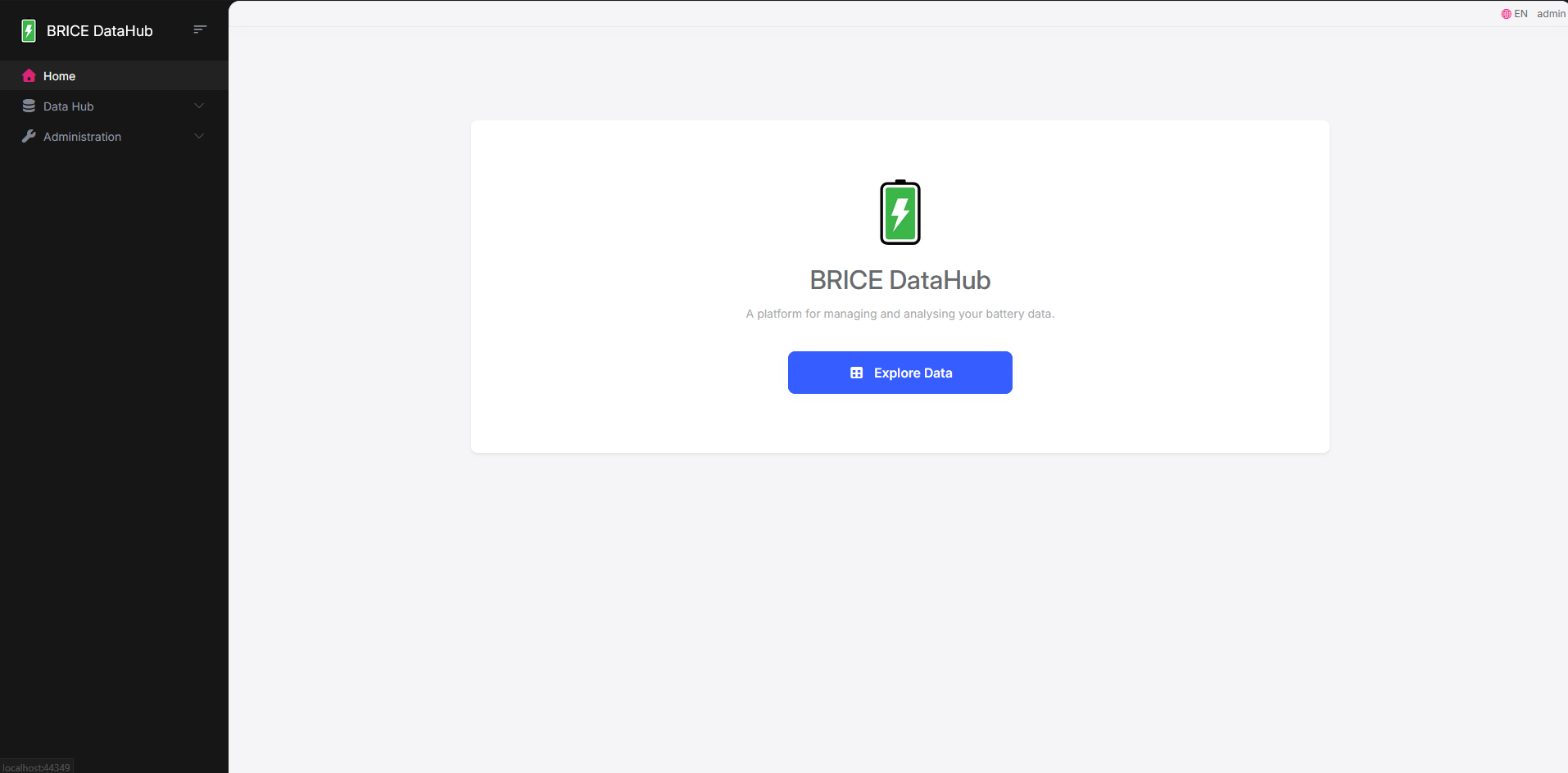
BRICE DataHub home screen

What is this project?

The project aimed to build an internal data management platform for the BRICE programme at A*STAR — a government-funded initiative developing end-to-end remanufacturing solutions for retired lithium-ion batteries.

Researchers across the programme generate large volumes of experimental data — cycle tests, impedance measurements, thermal characterisation. The DataHub is where all of that lives, organised and accessible.

Supported by A*STAR's Advanced Remanufacturing and Technology Centre (ARTC) and the Singapore Institute of Manufacturing Technology (SIMTech).
What needed solving?

Research data was scattered with no unified platform. Experimental results lived in ad hoc locations without consistent metadata, so searching by battery ID or experiment type simply wasn't possible.

On top of that, there was no access control — anyone could modify anything — no enforced metadata at upload time, and no pathway to analytics tools like Power BI, which the programme needed for battery health dashboarding.

Our goal was to build a platform where data was findable, governed, and analytics-ready without needing schema changes every time a new experiment type was added.

What was found

We mapped the programme's data landscape — what experiment categories existed, what metadata each produced, and who needed to do what with the data. We also looked at the FAIR principles (Findability, Accessibility, Interoperability, Reusability) as a benchmark, which shaped most of the core data model decisions.

01
Different subcategories need different metadata

Cycle Tests, Thermal Tests, and Impedance Measurements each have distinct fields — a single fixed schema would either over-constrain some experiments or under-capture others.

02
Users have different access needs

Researchers need to browse safely without risk of accidental modification. Admins need elevated capabilities for curation. A flat permission model wouldn't work.

03
Analytics was a dependency

The programme's Power BI dashboarding goals couldn't be bolted on later — the data model and API surface needed to be designed for queryability from the start.

Wireframe 1 Wireframe 2

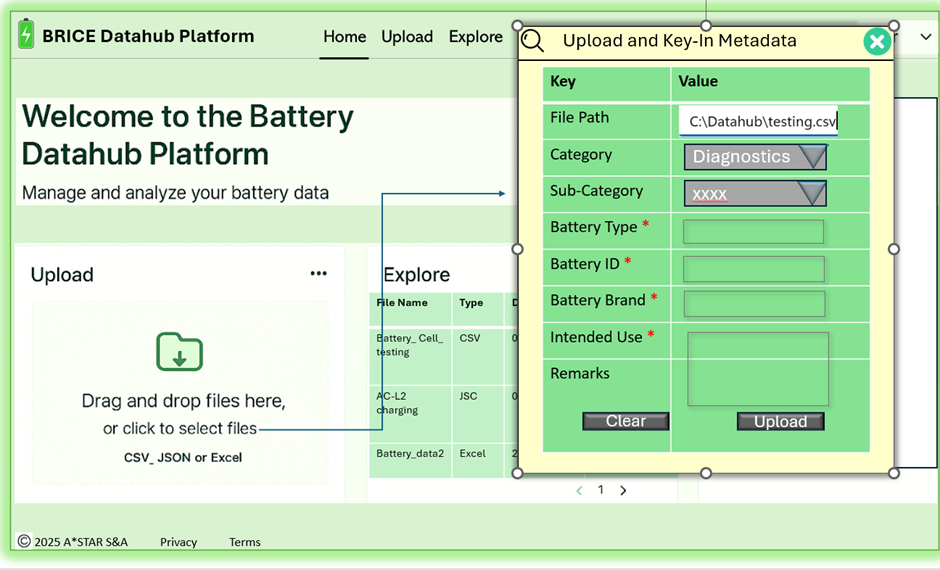
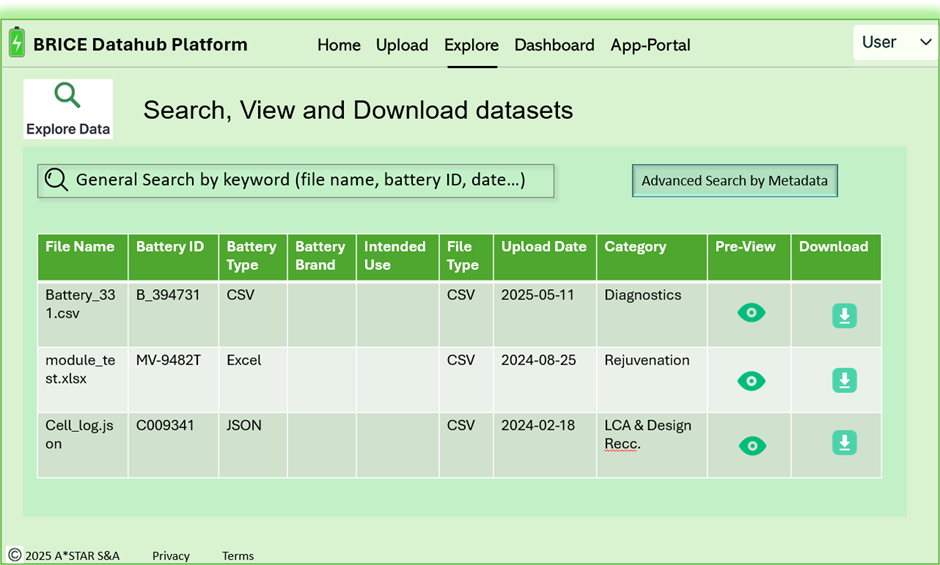
UI Mockups from A*STAR showing upload and viewing records

What ideas were explored?

The core tension was flexibility vs. structure. We explored a rigid per-subcategory table schema — predictable, but it would require a migration every time the programme added a new experiment type. We ruled that out early.

The other question was how far the platform should go into analytics. We considered building dashboarding in directly, but decided to keep the DataHub focused on data management and expose clean API surfaces for Power BI instead. It kept the scope manageable and the UI uncluttered.

Why does it look and work this way?

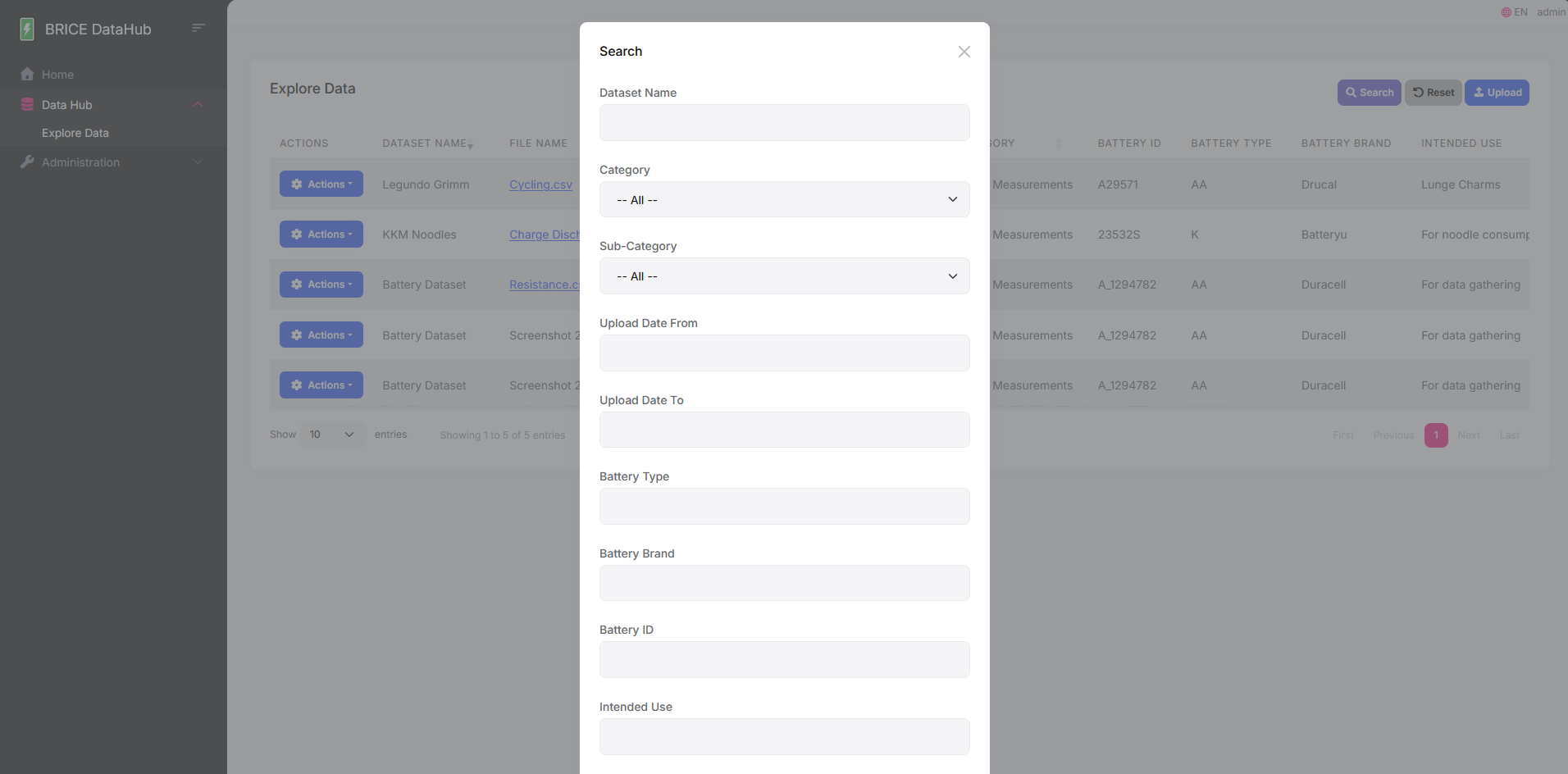
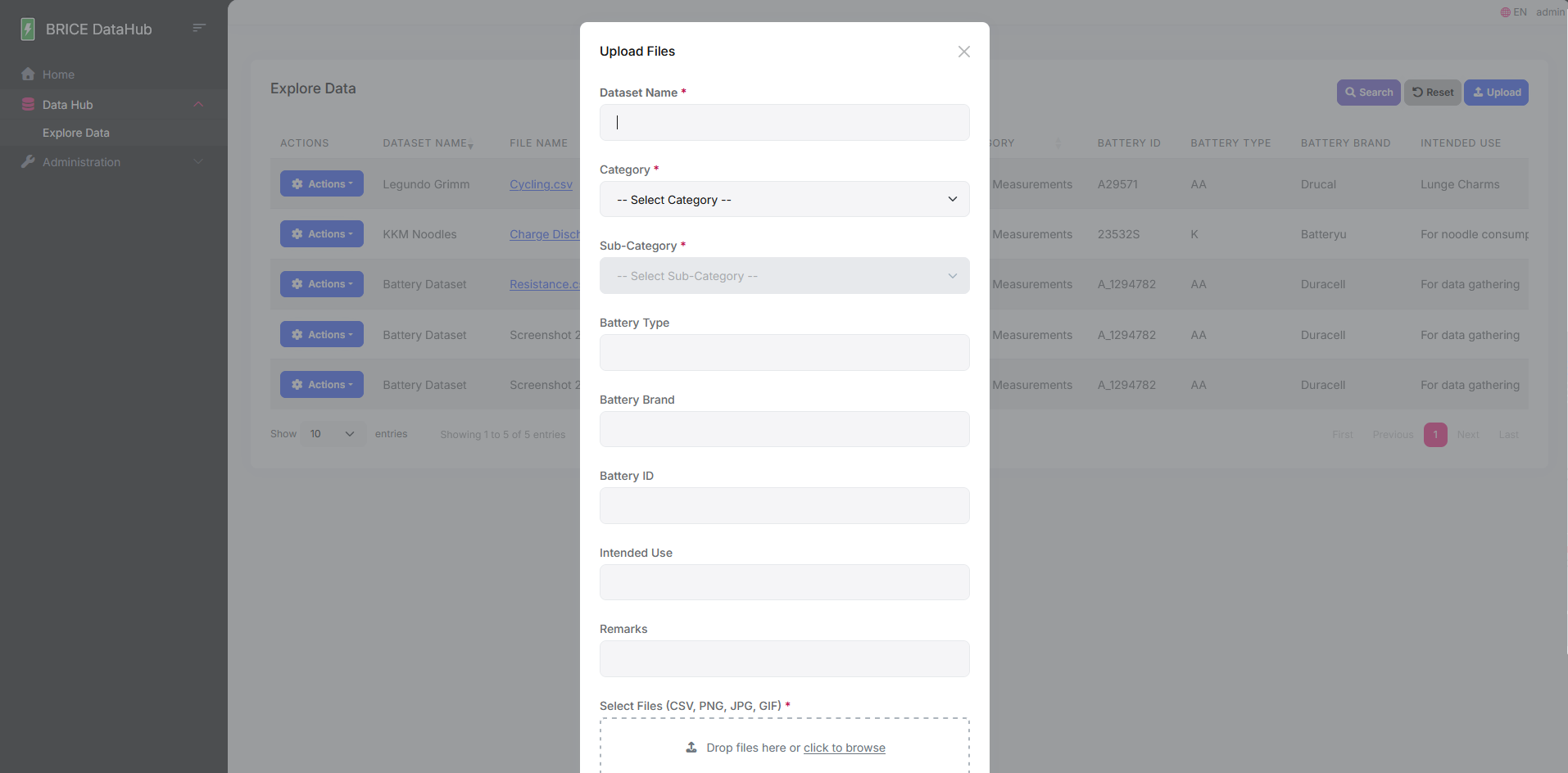
Upload forms and search filters adapt dynamically based on the selected subcategory, showing only fields relevant to that experiment type. This avoids a bloated one-size-fits-all form while keeping metadata consistent.

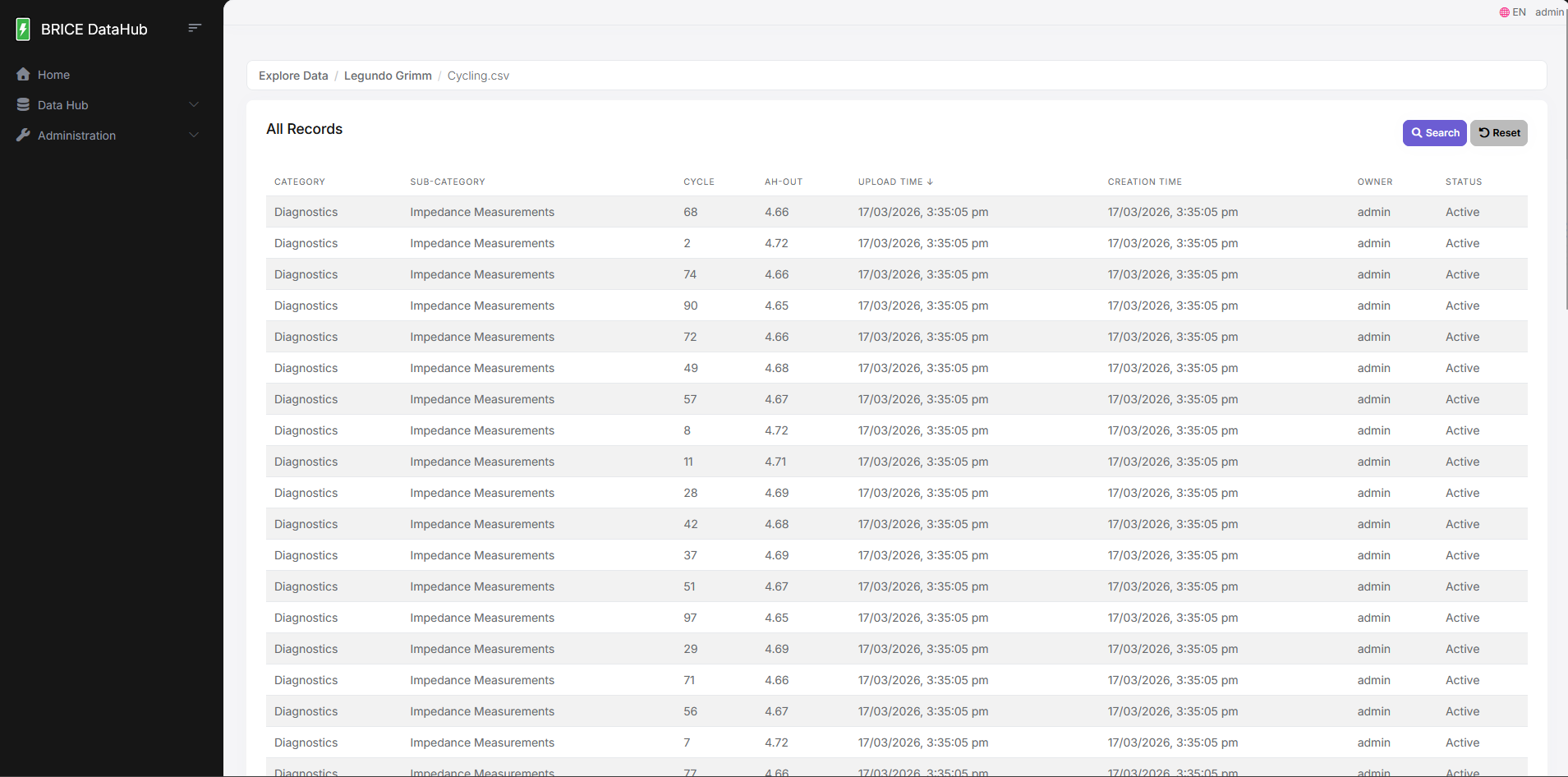
I kept the Records page off the navbar entirely. It's only reachable by clicking a file in the Explore table, scoped to that specific file via URL parameter. This prevents users from landing on an empty or orphaned records view.

BRICE DataHub search page
A
Dynamic subcategory metadata

Selecting a subcategory updates the upload form and search filters to show only relevant fields.

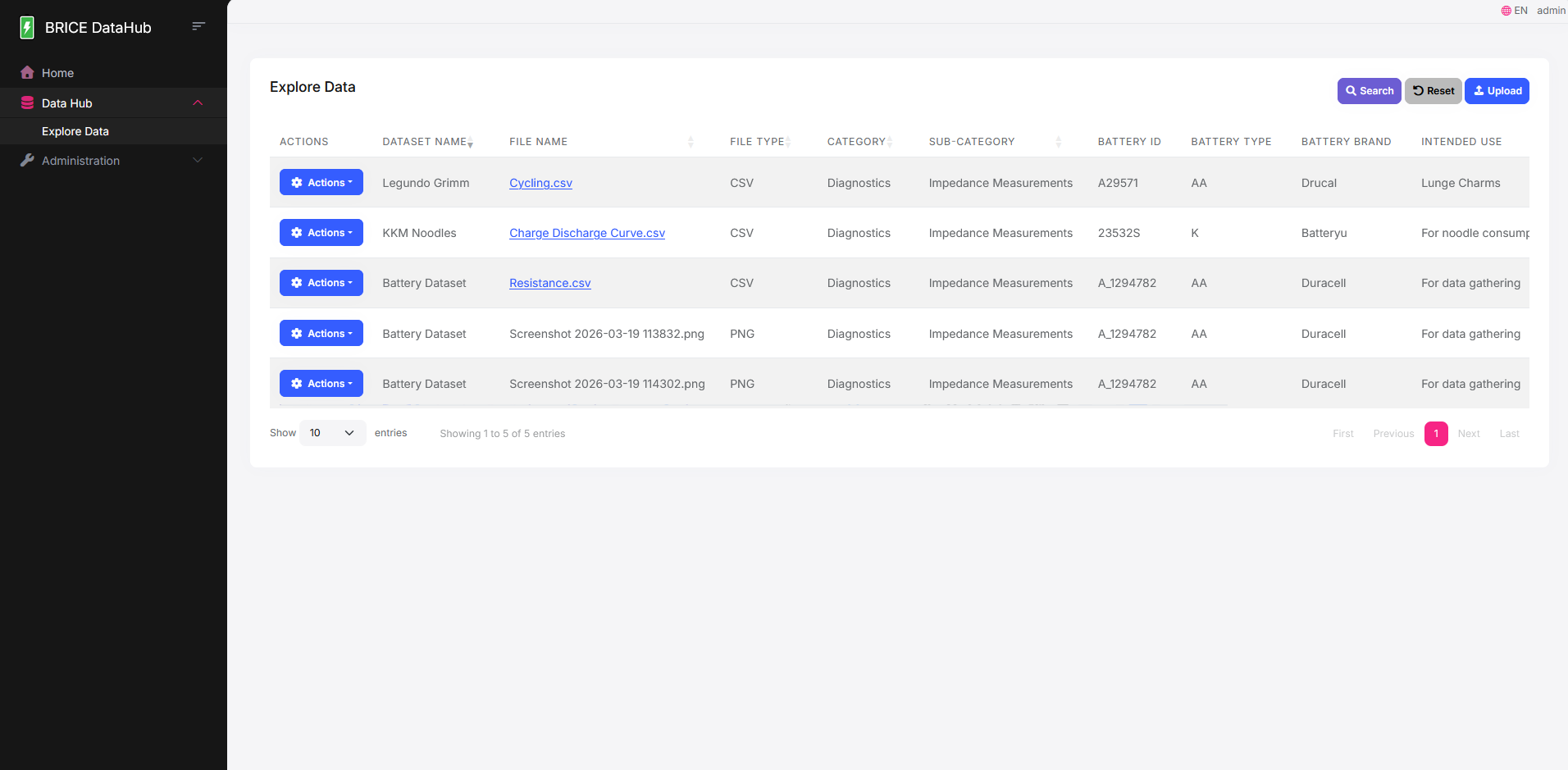
BRICE DataHub explore page
A
Role-aware action menu

Download and Delete buttons within the Action dropdown are only visible to users with the appropriate permissions.

What shipped?

A working platform across four surfaces: the Explore page with a filterable DataTable and multi-dimensional search, a multi-file upload modal with drag-and-drop staging and enforced metadata, a scoped row-level Records view, and a role-aware action menu surfacing Download and Delete only to permitted users.

BRICE DataHub main screen
Explore page Search page Upload modal Records view

How was it built?

Built on ABP Framework (ASP.NET Core, Razor Pages) with a PostgreSQL backend, structured across Application, Domain, Infrastructure, and Web layers. CSV files are parsed row-by-row with CsvHelper and stored as JSON DataRecords, enabling structured querying without a fixed schema per subcategory.

Framework ABP Framework
Database PostgreSQL
CSV Parsing CsvHelper
Auth & Roles ABP permission system

Instead of defining separate database columns for every metadata field, domain attributes like Battery ID and Battery Type are stored in ABP's ExtraProperties dictionary. New experiment types get onboarded without a migration — something I pushed for early once I saw how often the programme's requirements were shifting.

What happened, and what was learned

The platform was handed to A*STAR with a functional foundation across all stack layers. Development was later concluded as the broader project pivoted focus to the OCR module, but significant ground was covered — the data model, ingestion pipeline, and permission system were all production-ready. I had experience in full-stack development, but not in building domain-specific internal tools for a research programme, so a lot of this was new territory — particularly the challenge of designing for evolving requirements without accruing technical debt.

What worked
  • ExtraProperties pattern kept the schema stable as metadata requirements kept shifting
  • Dynamic subcategory-driven forms reduced complexity without losing specificity
  • Designing the API surface for Power BI early meant no rework was needed later
What I'd change
  • Get the actual subcategory names from the programme team at the start — using placeholders created friction during testing