← Back to work
NLP / ML RAG Full-Stack

CramRAG

A RAG-powered study tool that turns uploaded documents into graded quizzes and a citation-aware study chat — built end-to-end with a custom retrieval pipeline, evaluated with a formal RAGAS harness, and deployed on HuggingFace Spaces.

Role
ML Engineer & Developer
Timeline
2026
Tools
Python, FastAPI, React, ChromaDB, LangChain, Groq, HuggingFace
Status
CramRAG home screen

What is this project?

CramRAG lets students upload their own lecture notes and PDFs, then immediately put them to use — either by generating a graded MCQ quiz drawn from the document content, or by opening a study chat that can answer questions and cite the exact pages it drew from. Everything is source-grounded: no fabricated answers, no explanations pulled from outside the uploaded material.

The quiz side supports four question types (single-chunk, multi-chunk, document-wide, and multi-select), configurable per session. The study chat renders the PDF inline and highlights the cited passages directly on the page. Sessions and test sets persist across visits so students can retake quizzes or resume study conversations.

This is Project 2 of a personal NLP portfolio. The focus was on building a complete, production-grade RAG system from scratch — including a custom retrieval pipeline, a formal retrieval evaluation harness, and a RAGAS-based end-to-end eval.

What needed solving?

Generic AI study tools have a faithfulness problem. An LLM asked to explain a topic from a lecture slide will often fill gaps with its world knowledge — producing explanations that sound plausible but contradict the source material the student is actually being tested on.

Beyond faithfulness, there's the question framing problem. A tool that only generates single-fact recall questions doesn't reflect how exams actually work. Real assessments require synthesis across sections, high-level theme recognition, and the ability to identify multiple correct answers simultaneously.

The goal was a system that stays grounded in uploaded source material at every step — question generation, answer grading, and conversational responses — while supporting the full range of question types students actually encounter.

What the retrieval eval revealed

Before optimising anything, a ground-truth retrieval evaluation harness was built: 50 hand-labelled query/chunk pairs (30 single-topic, 20 multi-topic) scored with Hit@K, MRR@K, and Precision@K. A companion diagnose_failures.py script ran direct distance checks and nearest-neighbour boundary analysis on every miss.

01
Chunk boundary was the dominant failure mode

43.8% of retrieval misses occurred because relevant content was split across chunk boundaries. The embedding model wasn't the problem — the chunking strategy was.

02
Overlap mattered more than any reranking technique

Doubling chunk overlap from 240 to 480 characters improved Hit@5 by 26.6 percentage points — larger than RRF (+3.3pp) and distance threshold tuning (+6.7pp) combined.

03
Cross-encoder reranking improved MRR most

ms-marco-MiniLM-L-6-v2 as a cross-encoder reranker pushed MRR@5 to 0.767 — meaningful for a study tool where the top-ranked chunk sets the answer's framing.

04
HyDE helps narrow queries, hurts broad ones

Generating a hypothetical answer before retrieval (HyDE) improved precision on single-concept queries but introduced noise on multi-part questions, so it was made opt-in via an environment variable.

The final retrieval configuration — chunk size 1200, overlap 480, distance threshold 0.65, RRF fusion, cross-encoder reranking — produced a Hit@5 of 0.800 and MRR@5 of 0.767 against the ground-truth set.

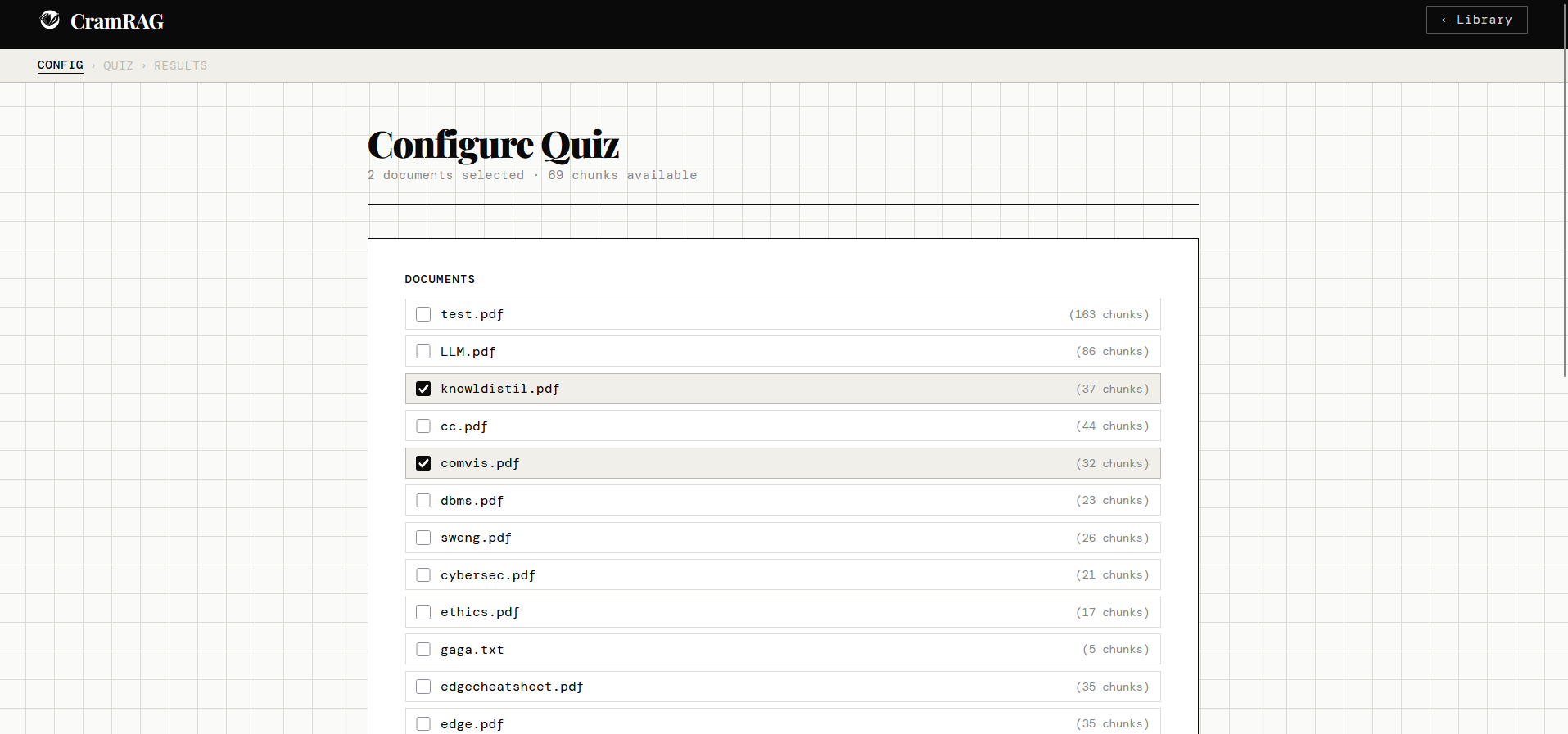
CramRAG quiz configuration screen

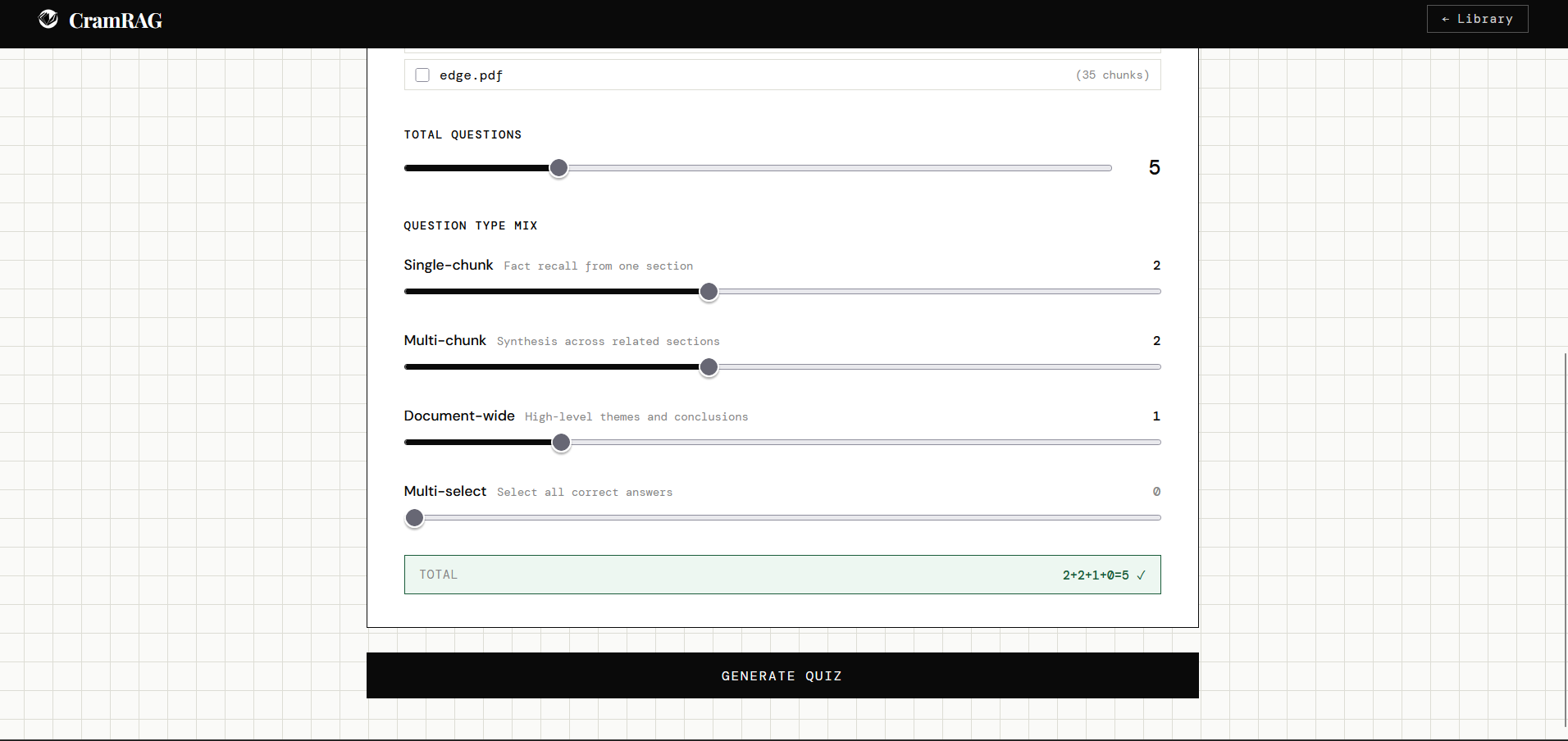
Quiz configuration — users select which documents to draw from (with chunk count shown), set question counts per type, and see the mix validate in real time before generating.

Key architectural decisions

Two decisions in particular had significant downstream consequences and required deliberate resolution before committing.

Source attachment at generation time, not grading time. The obvious approach is to retrieve source chunks at grading time — look up the relevant passage when the answer needs verifying. The problem is source drift: a second retrieval call may return different chunks than the ones the question was generated from, producing explanations that don't match the question's intent. Instead, source chunks are attached to each question at generation and travel with it through to the results page. One retrieval call per question, no drift.

No escape hatches. During development, every fallback that would have allowed the system to quietly degrade — an alternative embedding model, an alternative PDF parser, a secondary retrieval path — was deliberately removed. The architecture either works or fails visibly. This forces the retrieval pipeline to earn its keep rather than mask failures with fallbacks.

Scanned PDF limitation surfaced explicitly. Rather than silently returning poor results on scanned documents, the upload pipeline detects and returns a clear warning. OCR is out of scope; the constraint is owned, not hidden.

Why it looks and works this way

The visual language — DM Mono, Playfair Display, grid-paper background, ink-weight borders — was chosen to feel like a deliberate study environment rather than a generic AI tool. The aesthetic signals permanence and seriousness: this is where you come to work, not to be entertained.

Sliders validate but never auto-correct. The question type mix sliders show a running total (displayed as 2+2+1+0=5) and flag mismatches, but never silently redistribute counts. Auto-correcting UI removes the user's sense of agency over the quiz they're configuring.

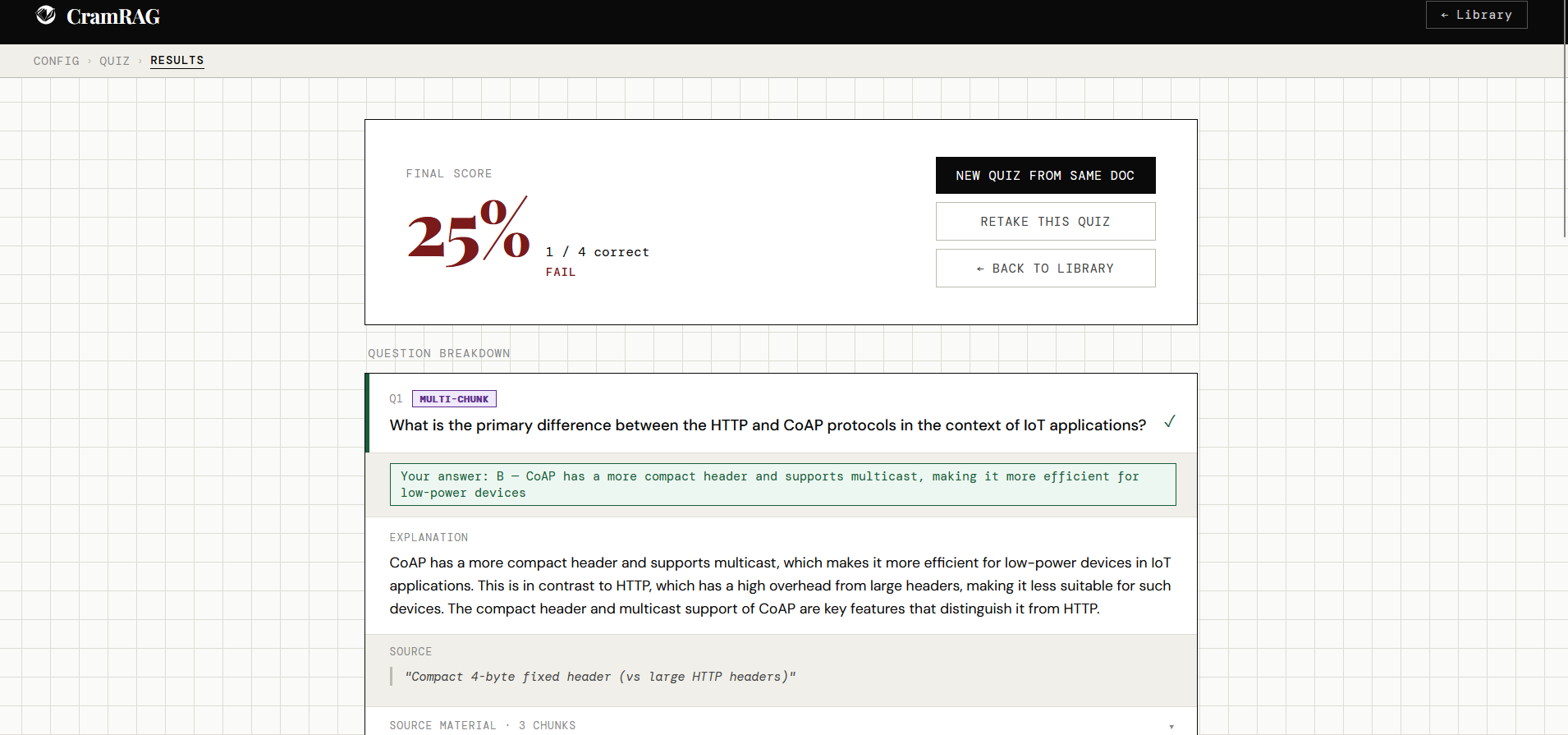
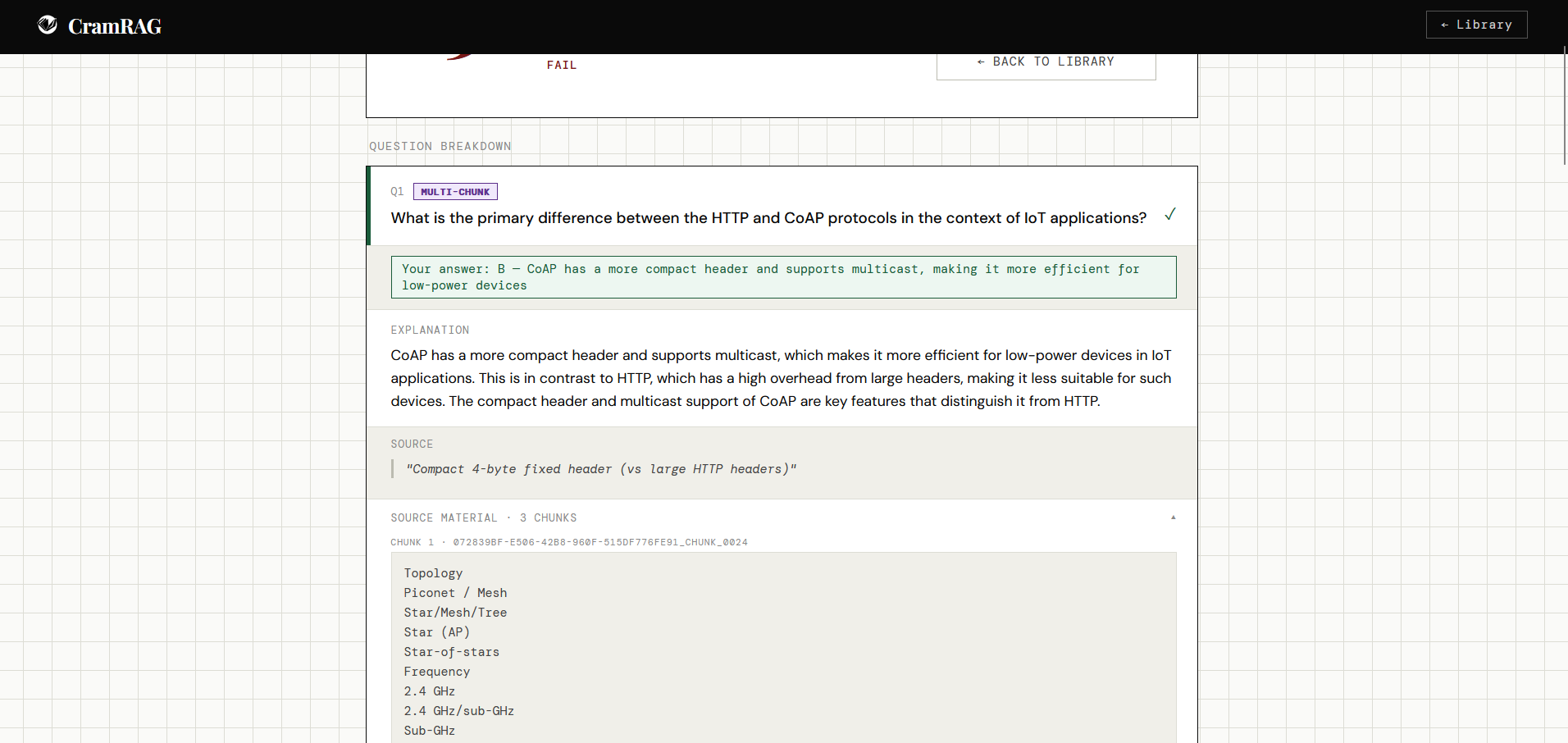
Source material is collapsible per question, not truncated. In the results view, each question card has a collapsible source section showing the raw chunks used to generate it. Students who want to verify an explanation can — but it doesn't dominate the review flow for those who don't.

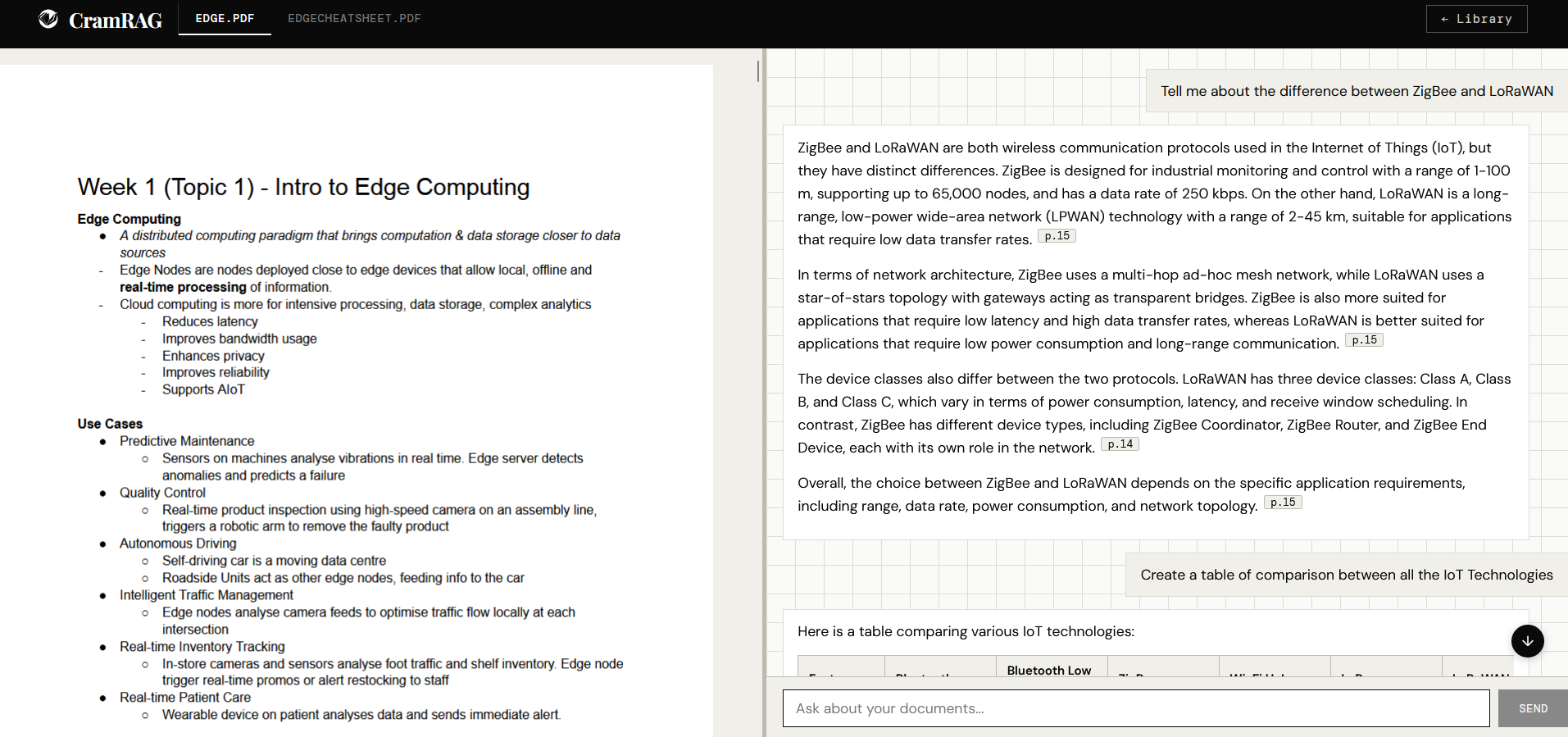
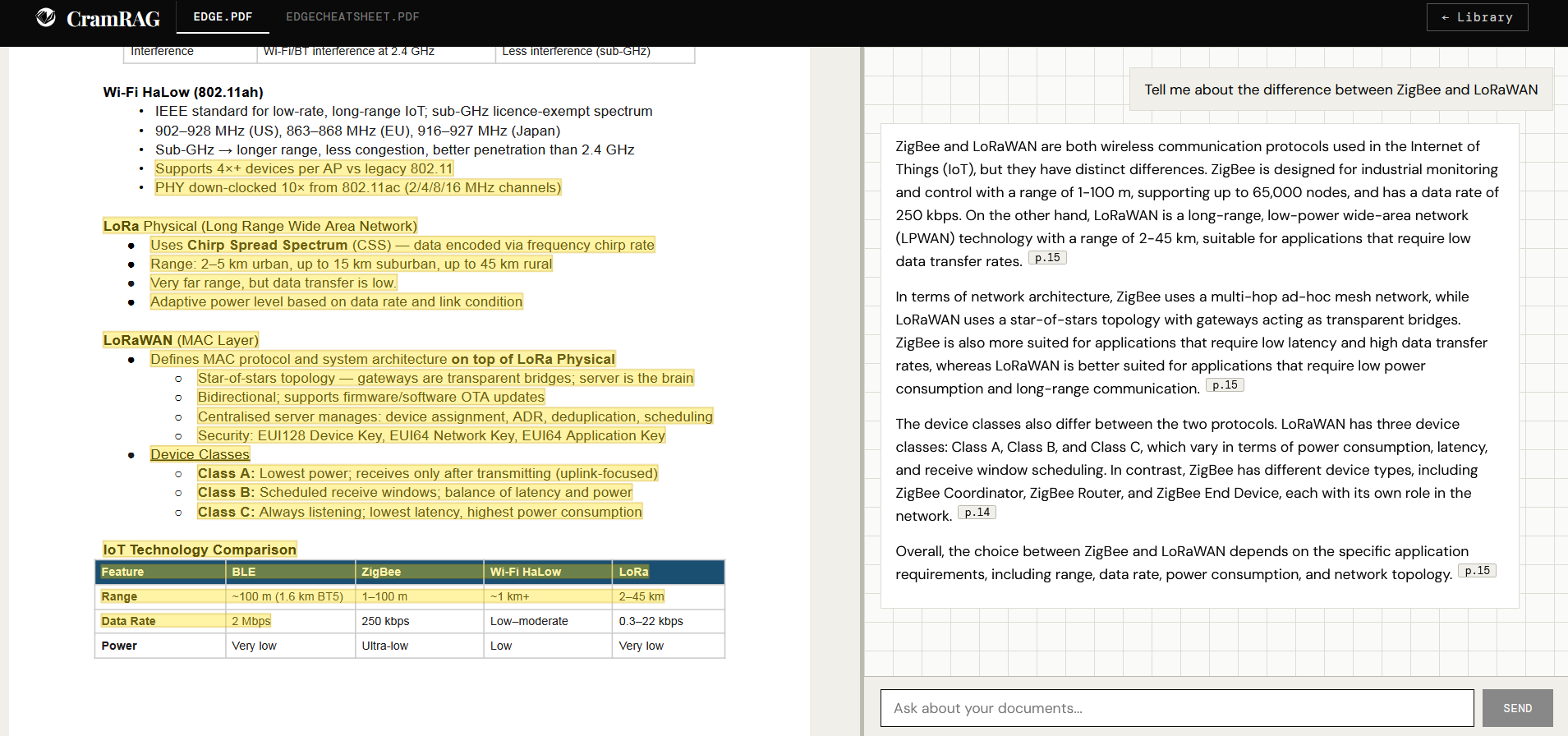
Study mode co-locates document and chat. The split-pane layout keeps the PDF viewer and the chat window side by side. When the model cites a passage, clicking the citation pill scrolls the PDF to that page and briefly highlights the bounding box. The student never has to switch contexts to verify a claim.

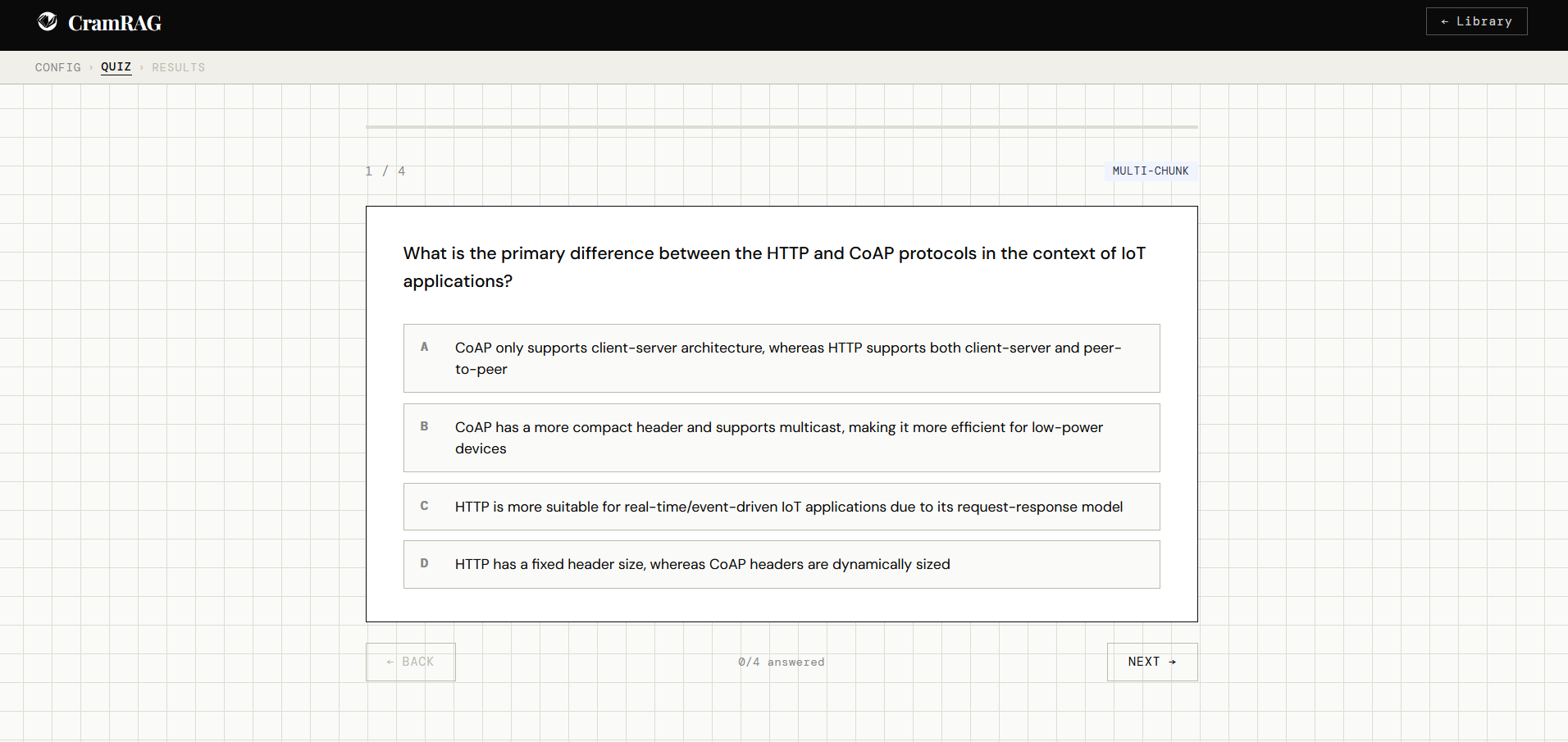
Question type selection Quiz question view Quiz results overview Quiz explanation and source material
Study mode split pane Study mode with highlighted citation

What shipped

The full application shipped with two primary modes and a persistent document library.

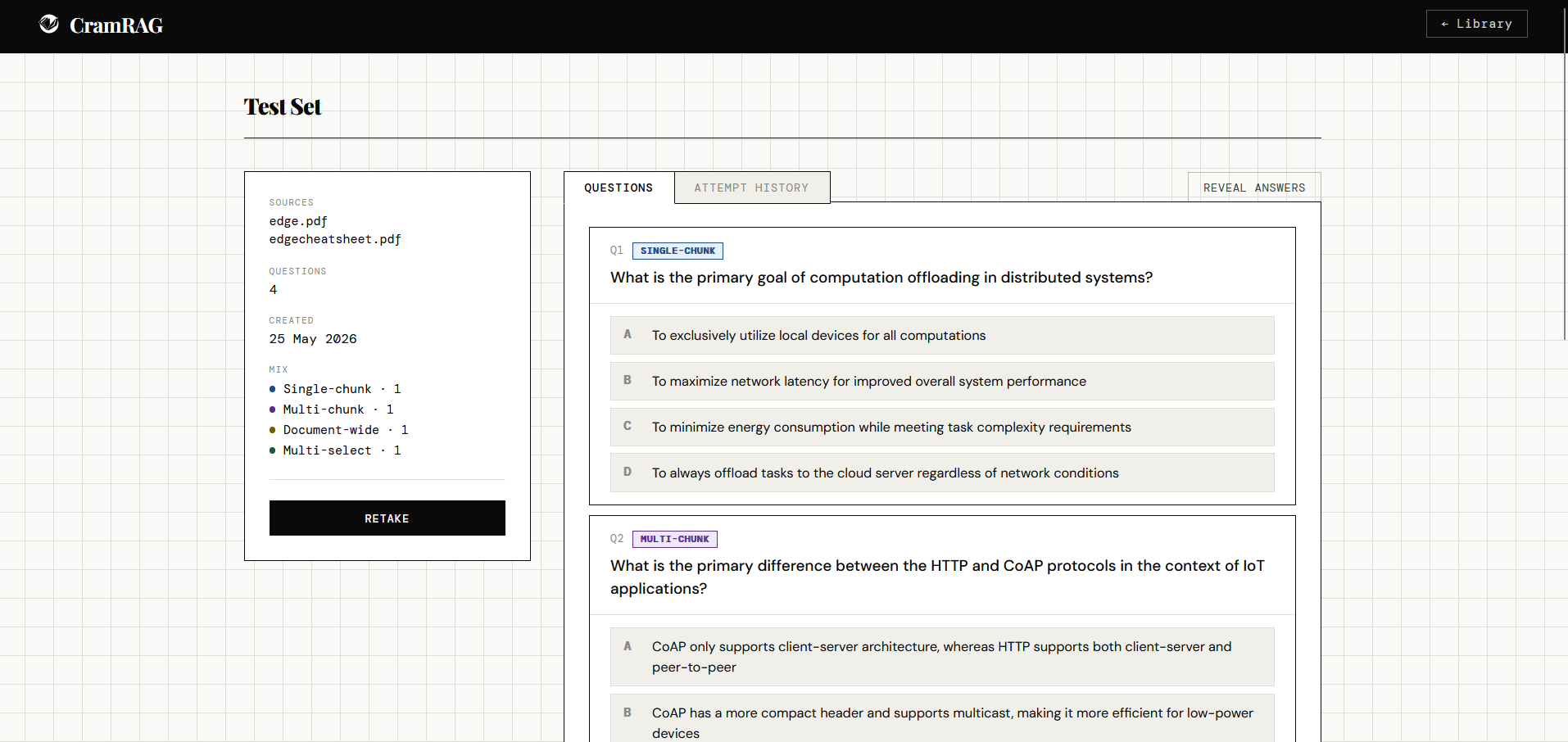
Quiz mode covers the full generation and review flow: document selection, question type configuration, a shuffled quiz with keyboard shortcuts, and a results page with per-question explanations, source citations, and raw chunk access. Four question types are supported — single-chunk (fact recall), multi-chunk (synthesis), document-wide (themes), and multi-select (select all correct). Previous attempts are stored and accessible from the library.

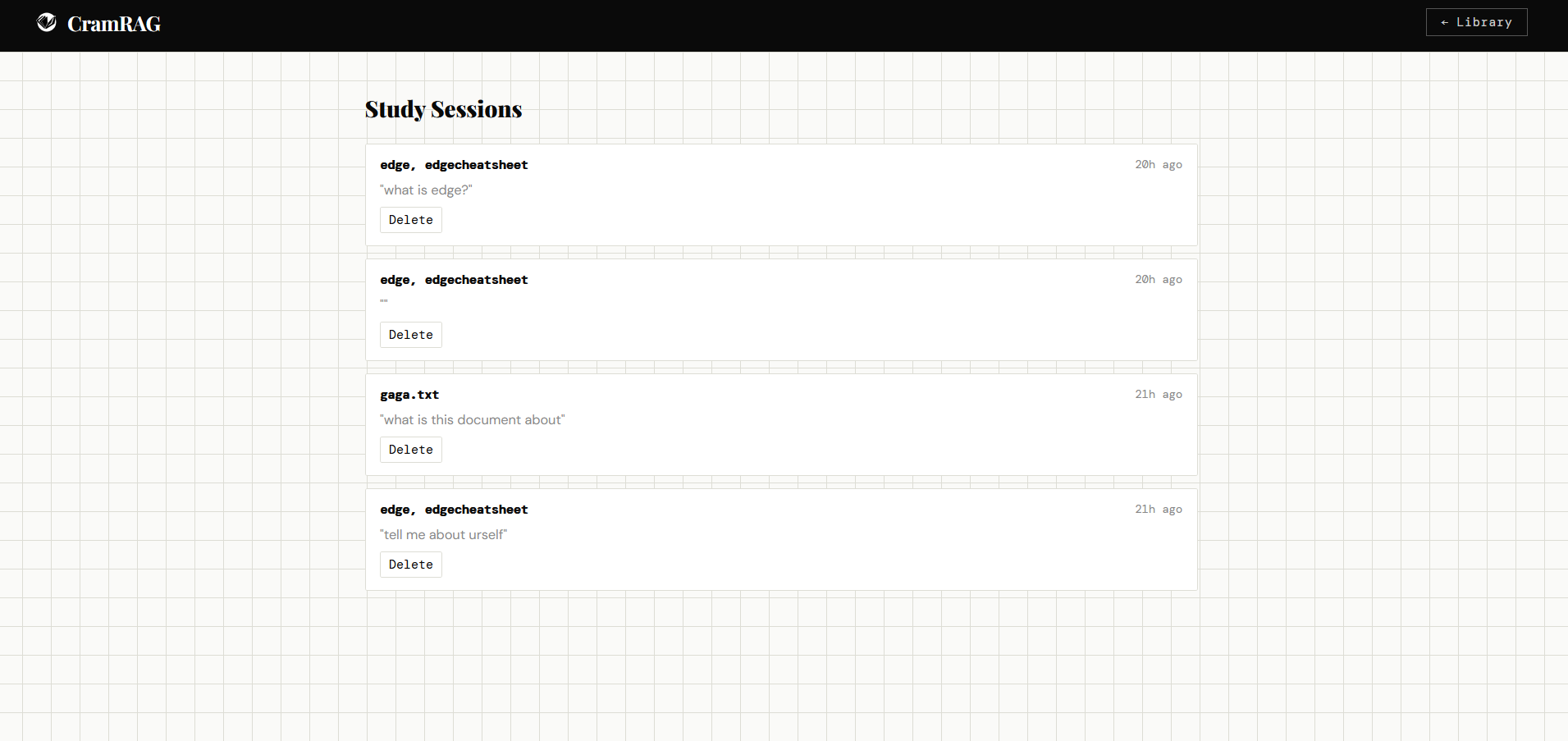
Study mode opens a persistent chat session scoped to up to three documents. The LLM retrieves relevant chunks, streams a response with inline citation pills, and the PDF viewer scrolls to the cited page on click with a canvas-overlay highlight. Sessions resume from where they left off. Deleted documents are silently dropped from existing sessions.

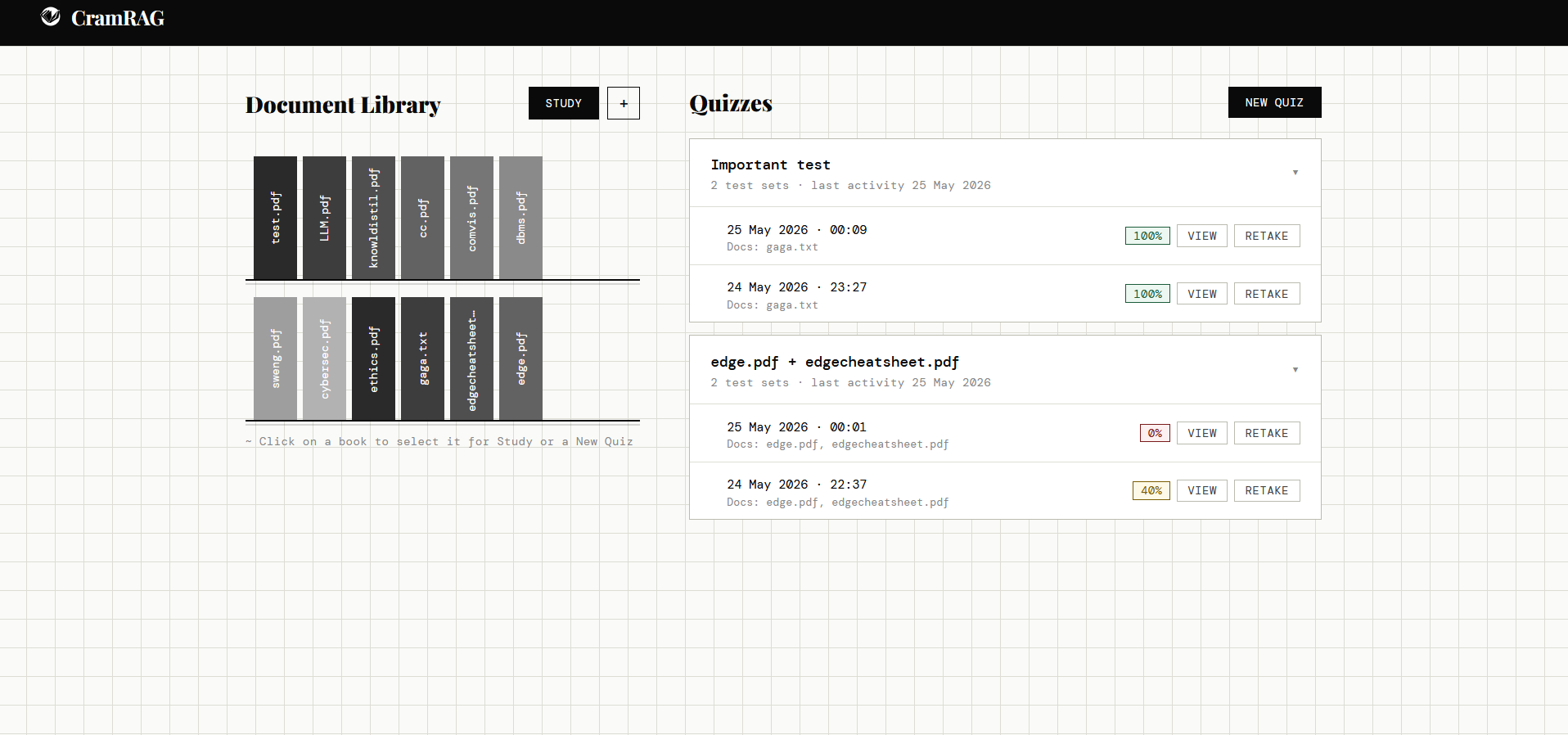
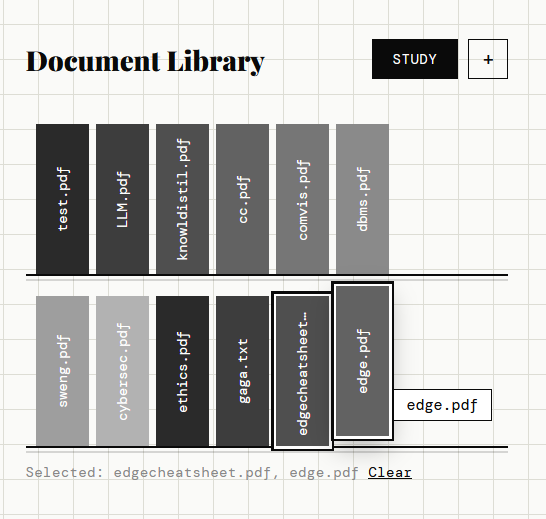
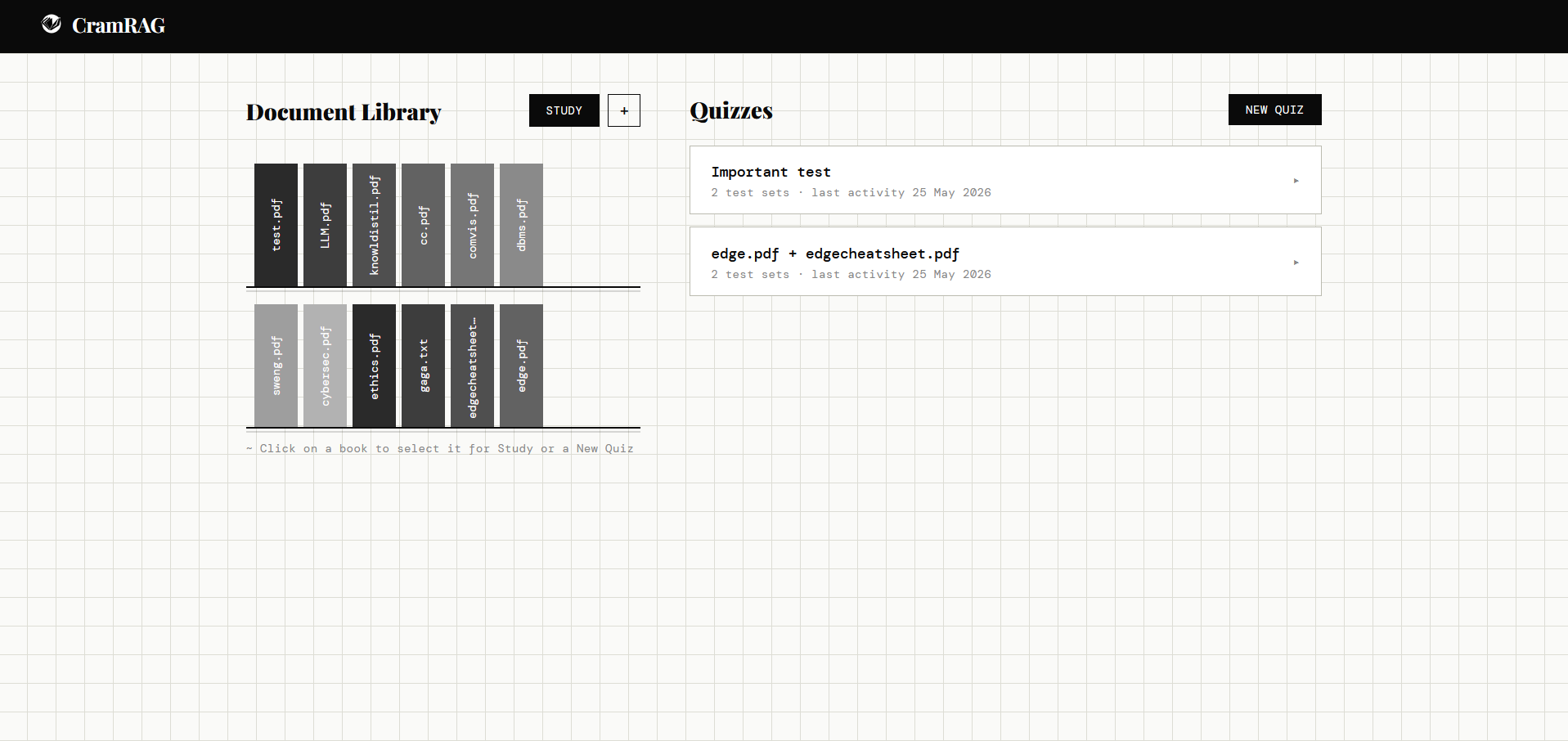
Document Library is the home screen: a bookshelf of uploaded documents, grouped quiz history with score badges, and direct access to any previous test set including its question list and attempt history.

CramRAG home with quiz history

Home screen — document library left, grouped quiz history right. Score badges colour-code by performance. Expanding a group shows individual attempts with VIEW and RETAKE actions.

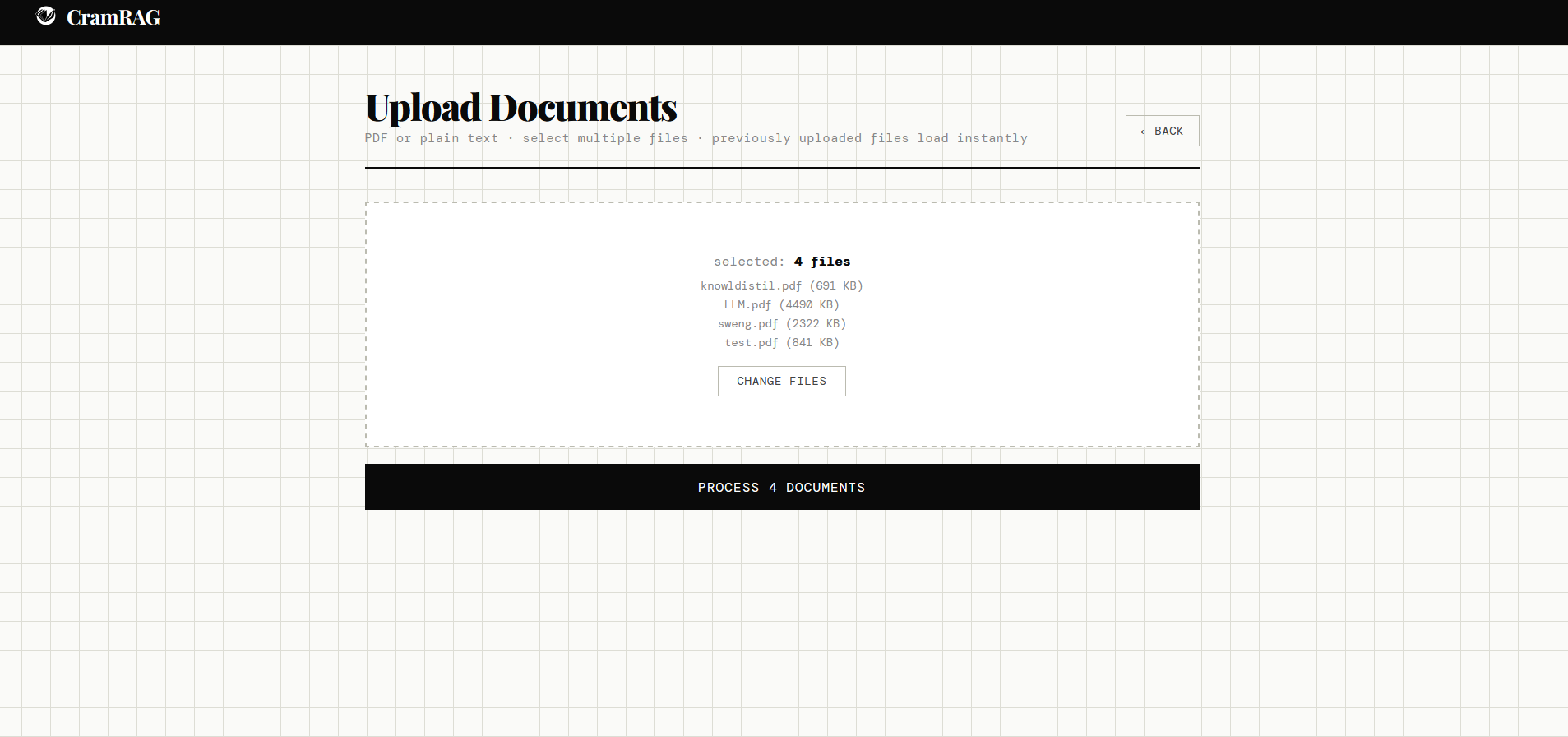
Document selection for study or quiz Test set detail page Study sessions history page Upload screen

How the system was measured

Two separate evaluation harnesses were built — one for retrieval, one for end-to-end RAG quality.

Retrieval eval used 50 hand-labelled query/chunk pairs scored with Hit@K, MRR@K, and Precision@K. A diagnostic script checked direct embedding distances and nearest-neighbour boundaries for every miss, enabling systematic failure mode classification rather than guesswork. The iterative improvement arc:

Baseline Hit@5 0.467
+ RRF fusion 0.500 (+3.3pp)
+ Overlap 240 → 480 0.733 (+26.6pp)
+ Distance threshold 0.55 → 0.65 0.800 (+6.7pp)
Cross-encoder MRR@5 0.767

RAGAS eval used 30 hand-written QA pairs across three academic documents (IT Ethics, ML, Databases), scored manually by an LLM judge against Context Precision, Context Recall, Faithfulness, and Answer Relevancy.

Context Precision 0.73
Context Recall 0.90
Faithfulness 0.88
Answer Relevancy 0.90

The context precision gap (0.73 vs 0.90 recall) is consistent with terse lecture slides — the retriever casts a wide net and captures most relevant content, but includes some adjacent chunks that don't directly contribute to the answer. This is a known property of the source material, not a retrieval failure.

How it was built and deployed

The backend is a fully async FastAPI application. SQLite (via aiosqlite) handles persistence for documents, chunks, test sets, questions, attempts, and study sessions. ChromaDB runs as a PersistentClient with a DATA_DIR environment variable that switches between local (./data) and Docker (/data) paths transparently.

Retrieval is handled by a pipeline that pools 8 candidates, applies a distance filter, runs BM25 reranking, then cross-encoder reranking if enabled. Query decomposition breaks complex questions into sub-queries before retrieval; HyDE generates a hypothetical answer to embed as the query instead of the raw question when enabled. Both are environment-gated so prod behaviour can differ from local without code changes.

PDF highlighting at study citation time is backed by PyMuPDF word-level bounding boxes extracted at ingest — an 8-word anchor with progressive fallback and empty token filtering. Bounding boxes are stored as JSON in ChromaDB and delivered to the frontend via SSE alongside the streamed response. A canvas overlay per page handles hover preview and click-lock behaviour.

The deployment is a two-stage Docker build: Node builds the React app, Python installs the backend. FastAPI serves the React static build from the same container — one port, no CORS concerns. The production LLM switches from local Ollama (Qwen3-8B) to Groq (Llama 3.3 70B) via a single environment variable. The embedding model switches from Qwen3-Embedding (Ollama) to BGE-small-en-v1.5 running in-process for CPU compatibility on the HuggingFace Spaces free tier.

LLM (local) Qwen3-8B via Ollama
LLM (prod) Llama 3.3 70B via Groq
Embeddings (prod) BGE-small-en-v1.5 (in-process)
Vector Store ChromaDB (PersistentClient)
Chunking LangChain RecursiveCharacterTextSplitter — 1200 chars, 480 overlap
Reranking BM25 + ms-marco-MiniLM-L-6-v2 cross-encoder
PDF parsing PyMuPDF only (no fallback)
Backend FastAPI (async), SQLite / aiosqlite
Frontend React (Vite), react-pdf
Deployed on HuggingFace Spaces (Docker)
What happened, and what was learned

CramRAG is deployed end-to-end at huggingface.co/spaces/AA-Hugger/CramRAG ↗. It covers the full RAG engineering surface: ingestion, chunking strategy, dense + sparse retrieval fusion, cross-encoder reranking, generation, faithfulness evaluation, PDF highlighting, persistent sessions, and Docker deployment — all from scratch.

The most important lesson was how much chunking strategy matters relative to more exotic optimisations. A 26-point retrieval improvement from doubling chunk overlap was larger than every algorithmic improvement combined — a reminder that the data representation layer is often where the biggest gains are hiding.

What worked
  • Source attachment at generation time eliminated the source drift problem entirely — explanations always reflect the chunk that produced the question
  • The retrieval evaluation harness made failure mode diagnosis systematic rather than anecdotal; every improvement was measured before committing
  • Removing escape hatches forced the retrieval pipeline to be genuinely robust rather than quietly degrading on edge cases
  • The split-pane study UI with inline PDF highlighting closes the gap between "the model said X" and "here's exactly where X came from"
What I'd explore next
  • Terse lecture slides remain the hardest document type — questions sometimes fill gaps with world knowledge even with source-grounding prompts. Structured extraction before chunking might help
  • Near-duplicate question detection across a test set — the generator can produce semantically similar questions from adjacent chunks
  • Adaptive difficulty: tracking per-topic performance across attempts to weight question sampling toward weak areas
Next project
Cyberbullying Classifier